


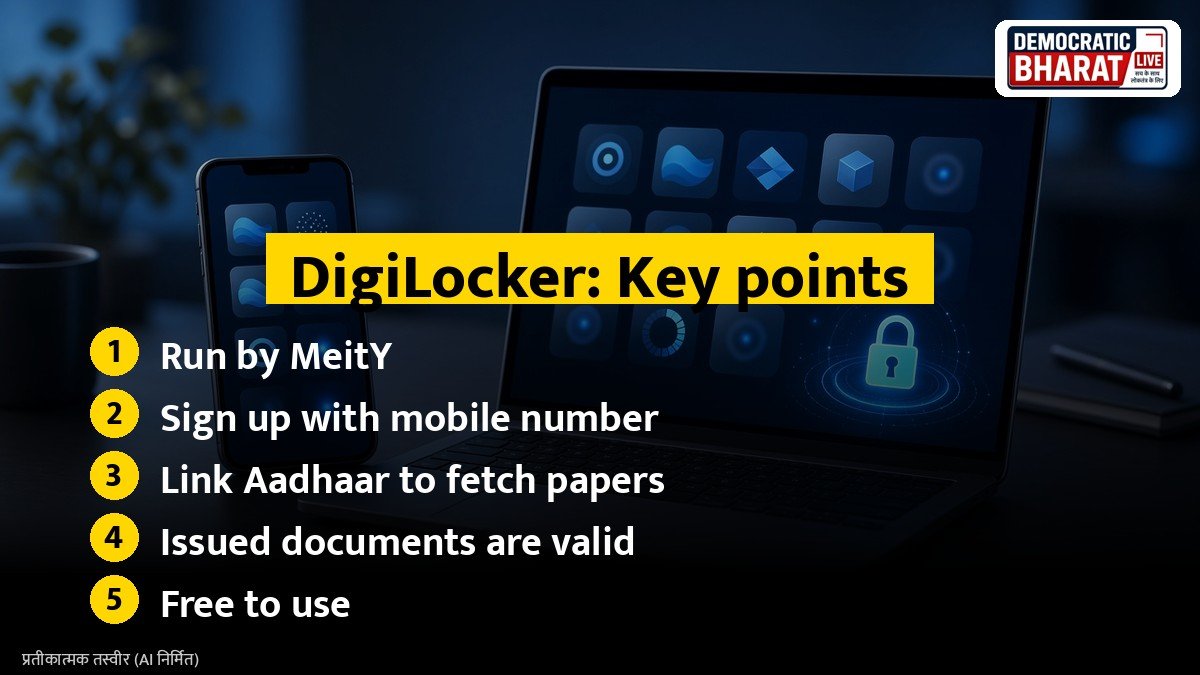
DigiLocker is a flagship platform under the Digital India programme of the Ministry of Electronics and Information Technology (MeitY). It gives every citizen a free digital wallet where official documents can be issued directly by government departments and stored safely. If you often worry about carrying your driving licence or finding your old marksheet, DigiLocker can solve the problem.
Why DigiLocker documents are valid
Documents pulled into DigiLocker from the issuing department are called issued documents. Under the Information Technology Act, 2000 and the rules notified in 2017, these electronic records are treated on par with the original physical documents. This is why traffic police and many offices accept a driving licence or vehicle registration shown through DigiLocker or the mParivahan app.
How to sign up
- Download the DigiLocker app or visit digilocker.gov.in.
- Tap Sign Up and enter your name, date of birth, gender and mobile number.
- Verify the OTP sent to your mobile number.
- Set a six digit security PIN.
- Link your Aadhaar number for identity verification. This step lets you fetch most documents.
How to fetch documents
After logging in, open the Search or Issued Documents section. Pick the issuer, such as the Ministry of Road Transport and Highways for a driving licence, the Income Tax Department for PAN, or your state or central school board for marksheets. Enter the details asked, such as your licence number or roll number, and the document gets saved in your account. CBSE marksheets and certificates, for example, are made available through DigiLocker for many years of results.
Also Read: How to Apply for Passport Online in India: Documents, Fees and Steps on Passport Seva
Documents you can keep
- Aadhaar card
- PAN card
- Driving licence and vehicle registration certificate
- Class 10 and 12 marksheets from many boards
- Some state certificates such as caste, income and domicile
- Insurance policies from several insurers
The list keeps growing as more departments join the platform.
Uploaded documents
You can also upload scanned copies of your own documents. These are useful for personal record, but unlike issued documents they are not automatically treated as verified originals, because they are not sent by the issuing authority.
Safety tips
- Never share your DigiLocker PIN or OTP with anyone.
- Download the app only from official app stores.
- Use the share feature with a time limited link instead of sending screenshots.
- Log out from shared computers.
Bottom line
DigiLocker is free, simple and backed by law. Spending ten minutes to set it up can save you from carrying a folder full of papers, and it is especially useful during admissions, job joining and travel.
Source / स्रोत: DigiLocker, Ministry of Electronics and IT, MeitY

टिप्पणियां (2)