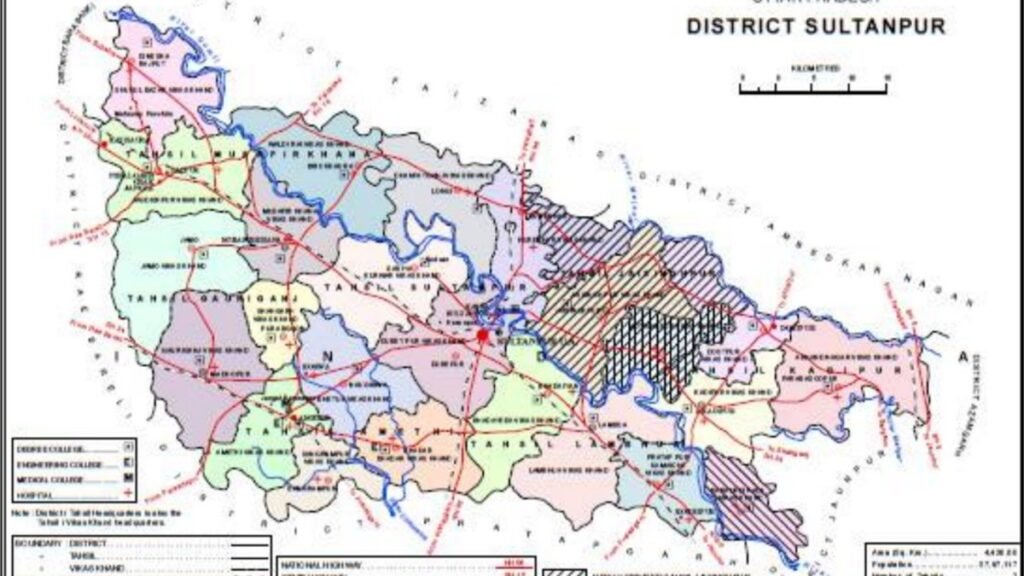
Many everyday certificates in Uttar Pradesh, such as income, caste, domicile or residence, and several other citizen services, can be requested through the state e District system. Residents of Sultanpur district can use the same statewide portal. The official entry point is edistrict.up.gov.in. Applications can be filed by a registered user at home, or with help at an authorised common service centre. The service list, fees if any, and the exact documents for each certificate are shown on the portal for that service, and they can change, so always read the page you are filing under.
Before you start, keep a working mobile number, a scanned photograph and the supporting papers that the chosen service demands. Aadhaar is often used for identification, but the portal will say what is mandatory for that form. If your name, address or photograph is not clearly printed on the supporting paper, get it corrected first, or the application may be sent back. This article does not list a fee chart, because amounts are notified by the government and should be read on the official payment screen.
A usual sequence of steps
Open only the official website. Create a user account or log in if you already have one. Choose the certificate or service, fill the form carefully, upload clear scans, and submit. You will generally receive an application number. Save it, and take a print or a screenshot. You can later track the status on the same portal. If the officer asks for a correction, the status page or an SMS, when that facility is active, may tell you what to fix. After approval, the certificate is often available to download from the portal, with a way for offices to verify it.
If you are not comfortable with the website, take your papers to an authorised centre rather than to an unknown agent who asks for your password. Pay only through the official receipt. Do not leave your OTP, password or Aadhaar details written at the kiosk. Check the printed application before you leave. In Sultanpur, tehsil and block offices still matter for field verification in some services. If an official visit or hearing is required, the notice on the portal or from the office should be followed.
Common certificates and common errors
Income, caste and domicile certificates are among the most used documents for school admissions, scholarships and several schemes. The category, the issuing authority and the validity notes printed on the certificate should be read before you attach it to another form. A certificate issued for one purpose may not automatically satisfy another department if their notice asks for a newer format. When in doubt, read the scheme notice, not a forwarding message on a messaging app.
Errors that delay files include a mismatch of spelling between Aadhaar and the school or land record, a blurred scan, an outdated supporting affidavit, or selecting the wrong tehsil or urban body. Use the same spelling of your name everywhere. If you have recently married or moved house, update the supporting record first where required. Do not use a cafe computer without logging out. Avoid websites that look like the e District portal but have a different address or that ask you to pay on a private page.
Where to get help in the district
The district official website, sultanpur.nic.in, publishes notices and links related to administration. For a stuck application, the application number is the key to any enquiry. You may need to visit the concerned tehsil or the department shown on the status page. Keep copies of uploads and receipts. If a centre charges you extra, ask for a written breakup and compare it with the official fee, if a fee is listed. Grievance options, when provided on the portal, should be used with facts and dates, not angry language alone.
The e District system does not replace every office. Land disputes, some court papers and certain licences still follow other systems, such as revenue or transport portals. Choose the correct platform. For transport, education or labour services, the concerned department site may be the right place. The UMANG app also brings several national and state services together, but e District remains the direct route for many UP certificates.
In short, Sultanpur residents can apply for several certificates on the official UP e District portal, either themselves or through an authorised centre. Register carefully, read the document list for that service, save the application number, and download the signed certificate from the official site. Ignore unofficial links and extra cash demands. For district notices use sultanpur.nic.in, and for the forms themselves use edistrict.up.gov.in.
Also Read: UMANG App Guide: How to Use One App for EPF, Pension, Gas, Tax and Many Government Services
Source: UP e District portal, District Sultanpur official portal